
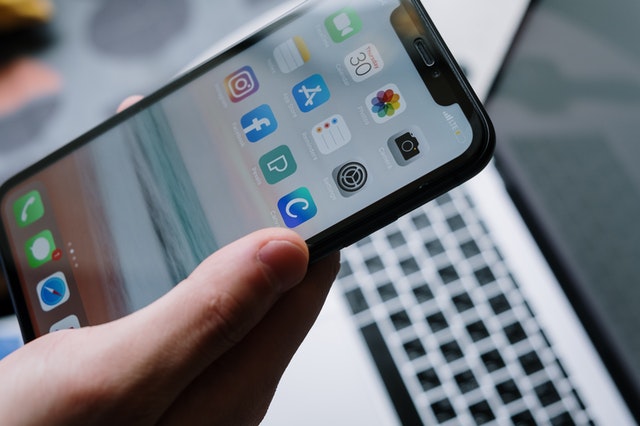
iPhone Battery Draining Fast? Here's What You Can Do
Your iPhone was fully charged when you left the house, but by lunchtime you're already looking for somewhere to plug it in. Sound familiar?
An iPhone battery draining fast can be frustrating, especially when you rely on your phone for work, messages, maps and everyday life.
The good news is that not every battery problem means you need a new phone. Sometimes a few changes to your settings can help. Other times, a worn battery may simply need replacing.
At Hi-Tech Fones in Farnworth, Bolton, we help customers identify battery problems and explore affordable repair options.
Explore iPhone Repair Options →Quick Answer: Why Is My iPhone Battery Draining So Fast?
An iPhone battery can drain quickly because of high screen brightness, background app activity, poor mobile signal, location services, recent iOS updates or an ageing battery.
Start by checking Settings > Battery to see which apps are using the most power. If your battery health is poor or your phone shuts down unexpectedly, a professional battery assessment may be worthwhile.
What Causes an iPhone Battery to Drain Quickly?
There isn't always one obvious reason why your battery percentage keeps dropping. Sometimes several small things are using power throughout the day.
Apps Running in the Background
Some apps continue refreshing information, using location services or completing tasks while you're not actively using them.
High Screen Brightness
Your display is one of the biggest users of battery power. Keeping brightness at maximum can shorten the time between charges.
Poor Mobile Signal
When your iPhone struggles to maintain a mobile connection, it may use additional power searching for a stronger signal.
Battery Ageing
Rechargeable batteries gradually lose capacity. An older battery may no longer last as long as it did when the phone was new.
Location Services
Navigation and other location-based apps can use significant power, particularly when they're active for long periods.
Recent iOS Updates
After a major update, your iPhone may carry out background tasks that temporarily increase battery usage.
How to Check Your iPhone Battery Health
Before changing lots of settings, it's worth checking whether the battery itself is starting to wear out.
Most supported iPhone models include battery health information that helps you understand how much capacity remains compared with when the battery was new.
Open Your iPhone Settings
Open the Settings app and select Battery.
Find Battery Health
Depending on your model and iOS version, select Battery Health or Battery Health & Charging.
Check Maximum Capacity
Look at the maximum capacity percentage and any messages about battery condition or service.
Review Battery Usage
Return to the main Battery screen to see which apps and activities have used the most power recently.
What Does Your Battery Health Percentage Mean?
Maximum capacity is an estimate of how much charge your battery can hold compared with when it was new. It's not the same as the battery percentage shown in your status bar.
| Battery Health | What It Could Mean | What to Do |
|---|---|---|
| 90–100% | Battery capacity is relatively close to its original level. | Check apps, screen brightness and other settings first. |
| 80–89% | Some capacity has been lost through normal use. | Consider your actual battery life and any service warnings. |
| Below 80% | The battery has lost a substantial amount of its original capacity. | A replacement may be worthwhile, especially if battery life is poor. |
These percentages are general guidance, not a diagnosis. Battery behaviour, age, usage and any service warnings should also be considered.
8 Ways to Fix iPhone Battery Drain
Try these practical changes to reduce unnecessary battery usage and help your iPhone last longer between charges.
Turn Down Screen Brightness
Open Control Centre and lower your screen brightness. You can also enable Auto-Brightness in your accessibility display settings so the screen adjusts to surrounding light.
Use Low Power Mode
Open Settings > Battery and enable Low Power Mode. The exact menu may vary by model. This reduces certain background activities and can help conserve power when your battery is running low.
Review Background App Refresh
Go to Settings > General > Background App Refresh and consider restricting apps that don't need to update in the background.
Check Location Permissions
Under Settings > Privacy & Security > Location Services, review which apps can access your location. Choose While Using the App where appropriate rather than allowing unnecessary continuous access.
Update iOS and Your Apps
Check Settings > General > Software Update for available updates. Software updates can fix bugs, although battery use may temporarily increase after installation.
Manage Notifications
Open Settings > Notifications and turn off unnecessary alerts. Fewer notifications can mean fewer occasions when your screen lights up.
Check Your Mobile Signal
In areas with poor reception, your iPhone may use more power maintaining a connection. Use a reliable Wi-Fi network when available, and avoid unnecessary network searching.
Restart Your iPhone
A normal restart can sometimes clear a temporary software issue. Turn the phone off using the method for your model, then switch it back on and monitor battery usage.
Why Is My iPhone Battery Draining After an iOS Update?
It's fairly common to notice extra battery usage shortly after installing a major iOS update.
Your phone may be reorganising files, indexing photos, updating apps or completing other background tasks. These processes can temporarily increase power consumption.
What Should You Do After Updating?
If unusually rapid battery drain continues after several days, check your battery health and investigate any apps showing excessive usage.
An iOS update doesn't normally reduce the battery's chemical capacity overnight. Persistent problems may have another cause that needs checking.
When Should You Replace Your iPhone Battery?
Sometimes settings changes won't solve the problem because the battery itself has worn out.
All rechargeable batteries gradually lose capacity. When that happens, your iPhone may struggle to last through the day even with sensible settings.
Signs Your iPhone Battery May Need Replacing
Battery Drains Very Quickly
Your phone loses charge much faster than it used to, even when your daily usage hasn't changed significantly.
Unexpected Shutdowns
Your iPhone switches off even though the battery indicator suggests some charge remains.
Battery Service Warning
Your iPhone displays a battery health message recommending service or indicating significantly reduced capacity.
Constant Charging
You regularly need to recharge throughout the day despite reducing unnecessary battery usage.
Is Replacing an iPhone Battery Worth It?
For many people, replacing a worn battery can be a cost-effective way to keep using an otherwise reliable iPhone.
If your phone still runs the apps you need and has no major faults, a battery replacement may be considerably cheaper than buying a brand-new device.
However, if your phone has multiple expensive problems or no longer supports essential software, it may be worth comparing the repair cost with the price of a replacement.
Our iPhone repair team in Bolton can help you explore the options.
Professional iPhone Battery Repairs in Bolton
If you've tried adjusting your settings and your battery is still draining quickly, a professional assessment can help determine whether the problem is software-related or caused by a worn component.
Why Choose Hi-Tech Fones?
Hi-Tech Fones is a local phone repair shop in Farnworth, helping customers across Bolton with common iPhone problems.
Whether you're dealing with poor battery life, charging issues or another fault, our team can assess your device and discuss suitable repair options.
Local iPhone Battery Repair Advice
Our team can help you understand whether a battery replacement is likely to improve your iPhone's everyday performance or whether another issue may be responsible.
We also welcome customers from surrounding areas, including those looking for iPhone repairs near Walkden and iPhone repair services around Bury.
Visit Our Farnworth Phone Repair Shop
Hi-Tech Fones is located at 95 Market Street, Farnworth, Bolton, BL4 7NS.
Bring your phone along and explain how quickly the battery drains, whether it shuts down unexpectedly and whether you've noticed any battery health warnings.
Frequently Asked Questions
Why is my iPhone battery draining so fast?
Rapid battery drain can be caused by background app activity, high screen brightness, poor signal, location services, recent software updates or an ageing battery. Check Settings > Battery to identify which apps and activities are using the most power.
Can an iOS update fix battery drain problems?
Yes, software updates can resolve bugs affecting battery usage. However, your iPhone may temporarily use more power after an update while background tasks complete. If the problem continues, investigate battery health and app activity.
How do I check my iPhone battery health?
Open Settings > Battery, then look for Battery Health or Battery Health & Charging, depending on your model and iOS version. Review maximum capacity and any battery service recommendations.
Does Low Power Mode damage my iPhone battery?
No. Low Power Mode is designed to reduce certain background activities and help conserve battery life. It's safe to use when you want your phone to last longer between charges.
Should I close all my apps to save battery?
Not usually. iOS manages background and suspended apps automatically. Force-close an app if it's unresponsive or behaving incorrectly, but repeatedly closing every app isn't generally necessary to improve battery life.
When should I replace my iPhone battery?
Consider a replacement if battery capacity is significantly reduced, you receive a battery service warning, or the phone frequently shuts down or struggles to last through normal daily use. A technician can help confirm whether the battery is the cause.
Will a new battery stop my iPhone draining quickly?
If the problem is caused by a worn battery, replacing it can improve battery life. However, a new battery won't resolve excessive usage caused by apps, software faults or other hardware problems.
Where can I get my iPhone battery checked in Bolton?
Visit Hi-Tech Fones in Farnworth, Bolton, to discuss your battery problems and available repair options. You can also contact the shop before visiting to enquire about your iPhone model.
More iPhone Repair Help
Need help with a battery problem or another iPhone fault? Explore our local repair services.