
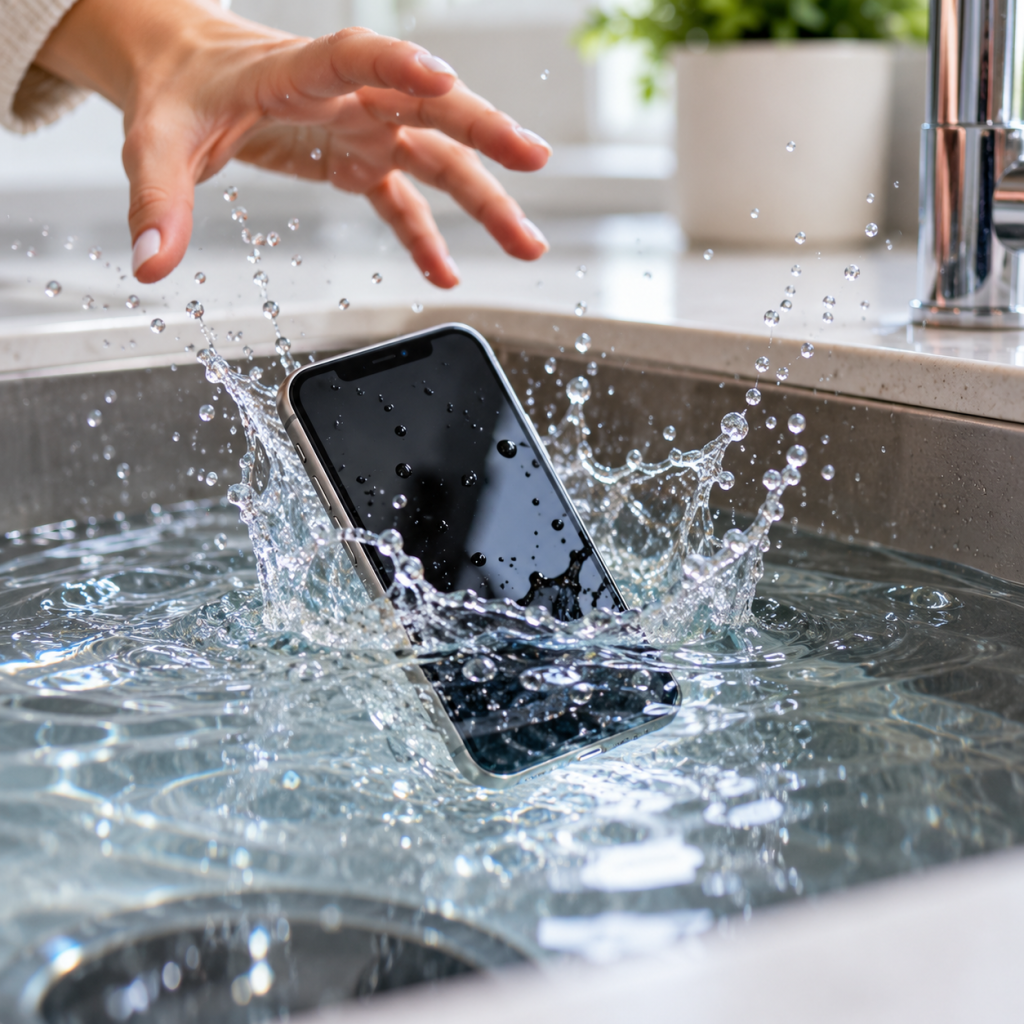
Dropped Your Phone in Water? Here's What to Do
Your phone has fallen into the sink, landed in the toilet or been caught in a heavy downpour. Now you're wondering whether it's going to work again.
Water damage can be worrying, particularly when your phone holds important photos, contacts and messages that you haven't backed up.
The good news is that getting your phone wet doesn't always mean it's beyond repair. What you do next matters, though, and some popular home remedies can make the situation worse.
At Hi-Tech Fones in Farnworth, Bolton, we help local customers explore repair options for damaged phones, including devices affected by liquid exposure.
Get Phone Repair Advice →Quick Answer: What Should You Do if Your Phone Gets Wet?
Remove your phone from the liquid immediately and disconnect any charging cables. If you suspect liquid has entered the device, switch it off if it's safe to do so.
Gently dry the outside with a soft, lint-free cloth and allow moisture to drain and evaporate naturally in a dry, well-ventilated area.
Don't charge the phone while moisture may be present, and avoid rice, hairdryers or inserting objects into the charging port. If the phone was submerged or begins malfunctioning, seek professional advice.
How Does Water Damage a Phone?
Modern smartphones contain delicate electrical components that can be affected when liquid enters the casing.
Even if your phone initially appears to work, moisture and contaminants may damage internal connections or contribute to corrosion over time.
Accidental Drops in Water
Dropping a phone into a sink, bath, toilet or puddle can expose charging ports, speaker openings and internal components to liquid.
Spilled Drinks
Tea, coffee, fizzy drinks and other liquids can leave behind sticky or corrosive residues, even after the visible moisture dries.
Heavy Rain
Extended exposure to rain can allow moisture into vulnerable openings, particularly if the phone has existing cracks or damaged seals.
Washing Machine Accidents
A phone left in a pocket may be exposed to water, detergent, movement and impact, potentially causing extensive damage.
Are Water-Resistant Phones Safe From Water Damage?
Some iPhone and Android models have water-resistance ratings, but this doesn't make them completely waterproof.
Water resistance can reduce over time through everyday wear, drops and previous repairs. Liquid damage can still occur, even on a phone advertised as water-resistant.
Signs Your Phone May Have Water Damage
Sometimes the damage is immediately obvious. Other times, problems only begin appearing hours or days after the phone gets wet.
Can Water Damage Show Up Days Later?
Yes. A phone may appear to work normally after getting wet but develop problems later.
Moisture and residues inside the device can contribute to corrosion, damaged connections or electrical faults over time.
If your phone has been submerged or exposed to a significant amount of liquid, consider having it inspected even if it initially seems fine.
What to Do Immediately After Dropping Your Phone in Water
Taking sensible steps straight away can help reduce the risk of further damage.
Remove the Phone From the Water
Retrieve the device as soon as it's safe to do so. Disconnect it from power immediately if a charging cable is attached, taking care around electricity and water.
Switch It Off if Safe
If you suspect liquid has entered the phone, turn it off if possible. Avoid repeatedly switching it on to check whether it's working.
Remove the Case and Dry the Outside
Take off the case and gently wipe the phone with a clean, soft, lint-free cloth. Don't shake it aggressively or try to open the casing yourself.
Allow Moisture to Drain Naturally
Where appropriate, hold the phone with its charging port facing down and gently tap it against your hand to help remove excess liquid. Leave it in a dry, well-ventilated place.
Avoid Charging Until Dry
Do not connect a charging cable while moisture may be present. If your phone displays a liquid detection warning, follow the manufacturer's instructions.
Arrange an Inspection if Necessary
If the phone was submerged, exposed to a sugary drink or begins malfunctioning, contact a repair shop for advice. Drying the outside doesn't guarantee that the internal components are safe.
5 Things You Should Never Do With a Water-Damaged Phone
Some popular advice can cause additional problems, particularly if moisture has reached internal components.
Don't Put It in Rice
Rice isn't a reliable way to remove moisture from inside a phone. Small particles can also become trapped in charging ports and other openings.
Don't Use a Hairdryer
High temperatures can damage the battery, adhesives and other delicate parts. Allow the phone to dry naturally instead.
Don't Keep Testing It
Repeatedly switching the phone on or trying different charging cables isn't a good idea when internal moisture may still be present.
Don't Insert Objects Into Ports
Cotton buds, paper towels and sharp tools can leave debris behind or damage sensitive charging connections.
Don't Assume It's Fine
Even if the phone switches on, hidden moisture or residue may still cause problems later, particularly after significant liquid exposure.
How Do Phone Repair Shops Fix Water Damage?
Water damage repairs aren't always as simple as replacing one component. A technician may need to investigate which parts have been affected and whether the device can be safely repaired.
Assess the Damage
The technician asks what happened, what type of liquid was involved and whether the phone has developed any faults.
Inspect Internal Components
Where appropriate, the device may be opened to inspect connectors, circuit boards and other parts for signs of moisture or corrosion.
Clean Affected Areas
Suitable professional cleaning methods may be used to remove contamination and corrosion from repairable components. The process depends on the phone and the damage found.
Test and Identify Faults
Once safe to do so, the technician can assess which components still work and whether any parts need replacing.
Explain the Repair Options
Depending on the findings, the shop can explain whether repair is practical, what work may be required and whether replacing the phone makes more sense.
Is It Cheaper to Repair a Water-Damaged Phone or Buy a New One?
Repairing a water-damaged phone can sometimes be more affordable than buying a replacement, particularly if only a limited number of components are affected.
However, liquid damage is unpredictable. If several important parts are damaged, repair costs may become too high to justify.
| What to Consider | Repairing Your Phone | Replacing Your Phone |
|---|---|---|
| Upfront cost | May be lower if damage is limited | Usually requires a larger purchase |
| Personal data | May preserve access if the original phone can be repaired | Requires a backup or successful data transfer |
| Reliability | Future problems are possible after liquid damage | A replacement avoids relying on the damaged device |
| Environmental impact | Can extend the life of an existing device | Requires another handset |
| Best suited for | Repairable damage with reasonable costs | Extensive damage or uneconomical repairs |
A professional assessment is the best starting point. It can help you understand the likely repair cost before committing to further work.
Can You Recover Photos From a Water-Damaged Phone?
For many people, losing access to their photos and messages is more worrying than the cost of replacing the phone itself.
Whether those files can be recovered depends on the condition of the device and whether a backup already exists.
Check Your Cloud Backups First
If you use an iPhone, check whether your photos and other information have been synced to iCloud.
Android users can check services such as Google Photos and Google Drive.
Files that were already synced may be accessible from another device without needing to repair the damaged phone.
What If You Don't Have a Backup?
Sometimes, a technician can restore enough functionality to let you unlock the phone and transfer important files.
However, modern smartphones encrypt their data. If critical internal components are permanently damaged, recovery may not be possible.
For this reason, no repair shop should guarantee that all photos and files can be recovered from a severely water-damaged device.
Tell the Repair Shop That Your Data Matters
If your main concern is recovering photos, contacts or work documents, explain this before any repair begins.
Ask the technician to discuss any procedures that could erase your data before proceeding.
Water-Damaged Phone Repairs in Bolton and Farnworth
If your phone has stopped working after being exposed to liquid, Hi-Tech Fones can help you understand your repair options.
Why Choose Hi-Tech Fones?
Hi-Tech Fones is a local phone repair business based in Farnworth, serving customers across Bolton and surrounding areas.
Whether you have an iPhone or Android handset, our team can discuss the problems you're experiencing and advise on suitable next steps.
Professional Advice Before Replacing Your Phone
Water damage doesn't automatically mean you need to buy a new handset. Depending on the extent of the fault, repairing your existing phone may still be worthwhile.
A professional inspection can help determine whether repair is practical and whether any important information may be recoverable.
Local iPhone Repair Services
If your iPhone has developed a fault after getting wet, explore our iPhone repair services in Bolton.
We also serve nearby areas, including customers looking for iPhone repairs around Walkden and iPhone repairs near Bury.
How to Protect Your Phone From Water Damage
Accidents can happen, but a few sensible habits may help reduce the risk of liquid damage in the future.
Keep It Away From Water
Avoid leaving your phone close to sinks, baths, swimming pools or other places where it could easily fall into liquid.
Don't Rely on Water Resistance
Even water-resistant phones can suffer damage, particularly as their seals age or after previous repairs.
Use Suitable Protection
Consider a properly rated waterproof pouch when using your phone around water. Check that it's suitable for your intended activity.
Back Up Important Files
Enable regular backups so photos, contacts and other important information aren't stored on only one device.
Frequently Asked Questions
Can a phone work again after water damage?
Sometimes. A water-damaged phone may be repairable if the affected components can be cleaned or replaced. However, the outcome depends on the extent of the damage, and future faults may still develop.
How long does a wet phone take to dry?
Drying time depends on the amount of liquid, where it entered and the phone's design. Surface moisture may dry relatively quickly, but internal moisture can remain trapped much longer. There's no single drying time that guarantees the device is safe to use or charge.
Can a phone be repaired after being dropped in the toilet?
Possibly. Phones dropped in toilets can sometimes be repaired, but contaminated water may leave residues that cause additional damage. Avoid charging the phone and arrange an inspection if you suspect liquid entered the casing.
Does putting a wet phone in rice work?
Rice is not a reliable solution for removing moisture from inside a phone. It may also introduce dust or particles into charging ports. Follow the manufacturer's drying advice instead.
Can water damage affect a phone days later?
Yes. Internal moisture and residues can cause corrosion or connection problems that become noticeable hours or days after the original exposure.
Can a water-damaged phone battery be replaced?
In many models, a damaged battery can be replaced by a qualified technician. However, replacing the battery won't fix other components affected by liquid, so an assessment is important.
Can you recover photos from a water-damaged phone?
Recovery may be possible if your photos were backed up or if enough of the original device can be made functional to unlock and access the files. Severe damage can make recovery impossible, so results cannot be guaranteed.
Is it worth repairing a water-damaged phone?
It depends on the phone's value, the extent of the damage and the estimated repair cost. A repair may be worthwhile for limited faults, but extensive internal damage can make replacement more economical.
Where can I get my water-damaged phone checked in Bolton?
Hi-Tech Fones is based in Farnworth, Bolton. Contact the team to discuss the liquid exposure, symptoms and available repair options before attempting further troubleshooting.
More Phone Repair Help
Explore our local repair services if your phone has suffered water damage or another hardware fault.